Easy Coding Games That Help Children Grasp Computational Thinking
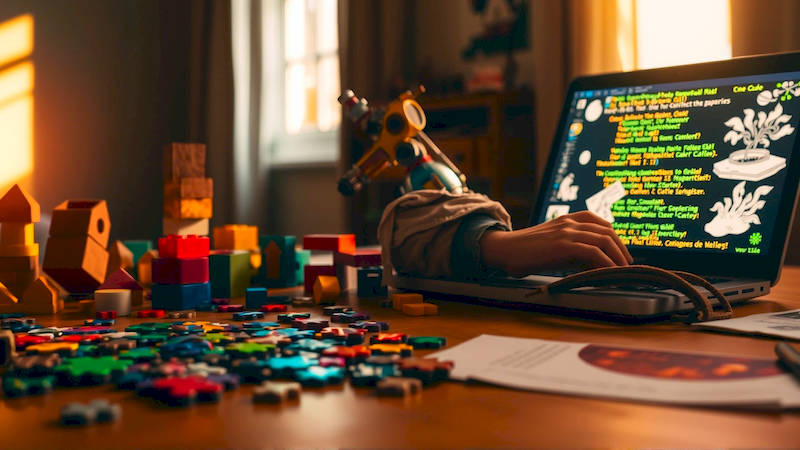
In today’s rapidly evolving digital landscape, computational thinking – the problem-solving process used by computer scientists – is becoming an increasingly valuable skill, not just for future tech professionals, but for all children. It's not about learning to code necessarily, but about learning how to think like a computer scientist. This means breaking down complex problems into smaller, manageable steps, identifying patterns, and designing solutions that can be logically executed. While the idea of teaching coding to young children might seem daunting, it doesn't require complex programming languages or advanced technical knowledge. In fact, a wealth of engaging, accessible coding games are available, designed specifically to introduce these core concepts in a playful and intuitive way.
The beauty of these games lies in their ability to subtly instill computational thinking skills without feeling like “work.” They encourage experimentation, persistence, and a growth mindset – qualities that benefit children in all areas of life. Studies increasingly show a correlation between early exposure to computational thinking and improved performance in subjects like math and reading. According to a report by the National Science Foundation, students who learn computational thinking demonstrate enhanced problem-solving abilities and a greater capacity for logical reasoning. This article will explore several easily accessible coding games that can help your child develop these crucial skills, providing practical guidance on implementation and highlighting the benefits for their overall cognitive development.
- ScratchJr: A Visual Starting Point for Budding Programmers
- Code.org: A Diverse Range of Coding Activities for All Ages
- Lightbot: Programming Concepts Through Puzzle Solving
- Kodable: From Fuzzballs to Programming Fundamentals
- Tynker: Creativity Unleashed Through Coding Projects
- Conclusion: Cultivating the Next Generation of Innovators
ScratchJr: A Visual Starting Point for Budding Programmers
ScratchJr, developed by the creators of Scratch (a more advanced block-based coding platform), is specifically designed for children aged 5-7. It's a free, icon-based programming language that allows kids to create interactive stories and games without writing a single line of text. The interface consists of colorful blocks that represent different commands, such as movement, sound, and appearance changes, which children can drag and drop to create sequences of instructions for their characters. This drag-and-drop functionality is vital in building a foundational understanding of the logic behind coding, without the frustration of syntax errors typically associated with written code.
The core of ScratchJr’s educational value lies in its emphasis on sequencing. Children learn that the order of instructions matters; changing the order of blocks will dramatically alter the outcome of their program. For instance, asking a character to move forward then say “Hello” will yield a different result than asking it to say “Hello” then move forward. This simple concept is foundational to computational thinking. Furthermore, ScratchJr promotes debugging skills as children identify and correct errors in their programs. If a character doesn’t move as expected, they must analyze the sequence of blocks to pinpoint the problem, fostering critical thinking and problem-solving abilities.
Finally, ScratchJr has a built-in remixing feature, allowing children to explore and modify the projects created by others. This not only inspires creativity but also exposes them to different programming techniques and approaches. It’s a collaborative environment that cultivates a sense of community and encourages peer learning. Numerous parent resources and tutorials are available online, simplifying the process of introducing and supporting your child's journey with ScratchJr.
Code.org: A Diverse Range of Coding Activities for All Ages
Code.org is a non-profit organization dedicated to expanding access to computer science education. Their website offers a wealth of coding tutorials and activities targeted at various age groups, from pre-readers to high school students. A standout feature is the "Hour of Code" initiative, which provides a series of one-hour coding tutorials designed to be engaging and accessible to complete beginners. These tutorials often utilize popular characters and themes from movies, games, and television shows – like Minecraft, Frozen, and Star Wars – to capture children's attention and make learning fun.
The beauty of Code.org lies in its progressive difficulty and its support for multiple programming concepts. Younger children can start with visual block-based puzzles that involve dragging and dropping commands to guide a character through a maze. As they progress, they can tackle more complex challenges that introduce concepts like loops, conditionals ("if-then" statements), and events. This gradual increase in complexity allows them to build a solid foundation in coding principles. Furthermore, Code.org emphasizes the real-world applications of coding, showcasing how computer science is used in various industries – from healthcare to entertainment to art.
Beyond the "Hour of Code," Code.org offers full-length coding courses designed to be used in classrooms or at home. These courses are carefully structured and provide a comprehensive introduction to programming fundamentals, equipping children with the skills to create their own games, animations, and interactive stories. The platform also offers resources for teachers and parents, including lesson plans, troubleshooting guides, and professional development opportunities.
Lightbot: Programming Concepts Through Puzzle Solving
Lightbot is a puzzle game available on multiple platforms (iOS, Android, web) that introduces programming concepts in a visually appealing and intuitive way. Players control a robot whose job is to light up tiles on a grid. However, the robot can only follow a series of instructions that the player must program. The instructions are represented by a small set of commands, such as "move forward," "turn left," "turn right," and "jump." The challenge lies in figuring out the correct sequence of commands to guide the robot to successfully complete each level.
Lightbot excels at teaching fundamental programming concepts, such as sequencing, procedures (breaking down complex tasks into smaller, reusable subroutines), and loops. As players progress, they encounter more complex puzzles that require them to utilize these concepts effectively. For instance, a level might require the robot to navigate a maze, collect a key, and then unlock a door. This requires players to not only plan the robot's path but also to decompose the task into a series of logical steps. The game’s visual nature makes it easy for children to understand the consequences of their commands, fostering a deeper understanding of cause-and-effect relationships.
A unique aspect of Lightbot is its use of procedural thinking. Throughout the game, players will encounter opportunities to create their own procedures – essentially, custom commands that can be reused multiple times. This reinforces the idea that good programming involves avoiding repetition and breaking down complex problems into smaller, more manageable components. This is a core skill in computational thinking, promoting efficiency and clarity in problem-solving.
Kodable: From Fuzzballs to Programming Fundamentals
Kodable is a game designed specifically to teach coding basics to children aged 4-10. It begins with a charming introduction involving adorable, fuzzy creatures called "Fuzzballs" who need help navigating mazes. In the early levels, children simply drag and drop arrows to guide the Fuzzballs through the maze. As they progress, more complex programming concepts are gradually introduced, such as conditional statements and functions.
One of Kodable’s strengths is its structured curriculum. The game is divided into levels, each designed to introduce a specific programming concept. This allows children to master each concept before moving on to more challenging material. The visual feedback is immediate and rewarding, motivating children to continue learning. Furthermore, Kodable provides detailed reports for parents and teachers, tracking children’s progress and identifying areas where they may need additional support.
Kodable effectively transitions from visual programming to text-based coding. In the later stages of the game, children begin to write simple code using JavaScript-like syntax. This provides a gentle introduction to the world of text-based programming, preparing them for more advanced coding languages in the future. The game’s playful design and engaging story make learning to code a fun and rewarding experience.
Tynker: Creativity Unleashed Through Coding Projects
Tynker is a comprehensive platform that offers a wide range of coding activities and projects for children aged 5-15. Unlike some of the other games mentioned, Tynker allows children to create a variety of projects, including games, animations, stories, and even apps. It utilizes a block-based coding interface, but also offers options to learn text-based coding languages like JavaScript and Python.
Tynker’s strength lies in its emphasis on creativity and open-ended exploration. Children are not simply solving pre-defined puzzles; they are building their own interactive experiences. This fosters a sense of ownership and encourages them to think outside the box. The platform also has a thriving online community where children can share their creations and learn from each other. According to Tynker, over 60 million kids have used the platform to learn coding.
Tynker also provides a structured curriculum with courses designed to teach specific coding concepts. These courses cover a wide range of topics, including game design, app development, and robotics. The platform’s versatility makes it a great option for children of all ages and skill levels, allowing them to progress at their own pace and explore their interests.
Conclusion: Cultivating the Next Generation of Innovators
Introducing coding games to children is more than just preparing them for future career opportunities; it’s about equipping them with essential problem-solving skills, fostering creativity, and building confidence. The games discussed – ScratchJr, Code.org, Lightbot, Kodable, and Tynker – provide accessible and engaging entry points into the world of computational thinking. By focusing on visual programming, puzzle-solving, and open-ended projects, these platforms make learning to code fun and intuitive for children of all ages and abilities.
Key takeaways include a focus on starting early, emphasizing the process of problem-solving over getting the “right” answer, and leveraging the power of play-based learning. Don't be afraid to experiment with different games and find the ones that resonate with your child's interests. Remember, the goal isn't to turn every child into a computer scientist, but to empower them with the computational thinking skills that will serve them well in all aspects of their lives. The next step is to explore these resources, dedicate some consistent time each week, and most importantly, celebrate your child’s efforts and progress. The future of innovation depends on nurturing the minds of today’s children, and providing them with the tools to think creatively and solve complex problems is an investment in that future.
Deja una respuesta