
Tips for Using Baby Monitors Effectively for Child Safety
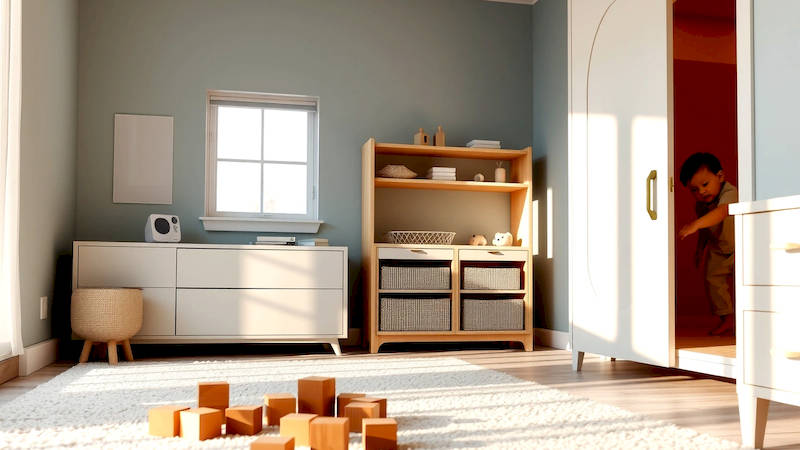
The arrival of a new baby is a joyous, yet often anxiety-inducing, experience for parents. One of the most common anxieties revolves around ensuring the baby’s safety, especially during sleep. Baby monitors have become an indispensable tool for modern parents, offering peace of mind by allowing them to keep a watchful eye (and ear) on their little one. However, simply having a baby monitor isn’t enough. Understanding how to use it effectively – considering the type of monitor, placement, security, and potential limitations – is crucial to maximizing its benefits for your child’s safety. This article delves deep into the world of baby monitors, providing a comprehensive guide to help parents navigate their options and utilize these devices to their fullest potential.
The market is flooded with different types of baby monitors, ranging from analog models to high-tech WiFi-enabled systems. The core function remains the same - to relay audio and/or video from the baby’s nursery to the parent unit - but the features and associated safety considerations vary significantly. It’s no longer just about hearing a cry; it’s about temperature monitoring, two-way communication, sleep tracking, and even detecting movement. Understanding these options, and choosing a monitor tailored to your specific needs and home environment, is the first step towards creating a safer sleep space for your child. Ignoring the security implications of connected devices, or failing to optimize the monitor’s placement, can undermine the very peace of mind it's designed to provide.
- Understanding the Different Types of Baby Monitors
- Optimizing Monitor Placement for Maximum Coverage and Safety
- Securing Your Baby Monitor from Hacking and Privacy Breaches
- Understanding Monitor Features and Utilizing Them Effectively
- Troubleshooting Common Baby Monitor Issues
- Beyond the Monitor: Complementary Safety Practices
Understanding the Different Types of Baby Monitors
There’s a wide spectrum of baby monitors available, each with its own pros and cons. Traditional analog baby monitors are the most basic, transmitting audio signals via radio waves. They are generally the most affordable and secure, as they don’t connect to the internet, minimizing the risk of hacking. However, they lack features like video capabilities and often suffer from limited range and potential static interference. Digital baby monitors, on the other hand, offer clearer audio and often include video, operating on a digital signal. These offer better range and less interference than analog, but can still be susceptible to hacking if not properly secured.
The most advanced, and increasingly popular, option is the WiFi-enabled baby monitor. These connect to your home network, offering features like remote viewing via smartphone apps, pan/tilt/zoom capabilities, and sometimes even sleep analysis. “While convenience is a major draw for WiFi monitors,” explains Dr. Sarah Jones, a pediatric safety specialist, “parents need to be acutely aware of the security risks. A poorly secured WiFi monitor can become a gateway for unauthorized access to your home network.” This emphasizes the importance of strong passwords, regular firmware updates, and a robust home network security system. Finally, non-WiFi smart monitors offer a hybrid solution – they use DECT or other secure wireless protocols and connect to a base station, but don’t directly connect to the internet, providing smart features without the same level of cybersecurity risk. The choice ultimately depends on your budget, security concerns, and desired features.
Optimizing Monitor Placement for Maximum Coverage and Safety
Strategic placement of your baby monitor is critical, going beyond simply pointing it at the crib. The goal is to achieve optimal coverage of the entire nursery, capturing a broad view and ensuring you can hear or see your baby clearly, regardless of their position. Avoid placing the monitor directly over the crib. This can create a blind spot if your baby moves to the side, and it also carries a (though small) risk of the monitor falling. Instead, position it on a stable surface like a dresser or bookshelf, ensuring it has a clear line of sight to the entire crib and play area.
Consider the angle of the camera (for video monitors). Can you see your baby’s face clearly, even if they roll over? Can you see the entire crib and any potential hazards nearby, like cords or loose blankets? It's also vital to test the range of the monitor. Walk around your home with the parent unit to ensure the signal remains strong in all areas where you regularly spend time. Furthermore, be mindful of potential interferences. Electronic devices, thick walls, and even certain types of lighting can disrupt the signal. Adjust the monitor's position or channel as needed to minimize interference and maintain a reliable connection. Regularly check the monitor's functionality – confirm audio and video are working correctly – as batteries can drain or devices can malfunction.
Securing Your Baby Monitor from Hacking and Privacy Breaches
The rise of WiFi-enabled baby monitors has brought with it a concerning increase in security vulnerabilities. Hackers can exploit weak passwords, outdated firmware, and unsecured networks to gain access to the monitor’s feed, potentially violating your privacy and even endangering your child. The first, and most crucial step, is to change the default username and password immediately. Choose a strong, unique password that is difficult to guess, and avoid using personal information like your birthday or child’s name.
Enable two-factor authentication (2FA) if your monitor offers it. This adds an extra layer of security, requiring a secondary verification code in addition to your password. Regularly update the monitor’s firmware to patch security vulnerabilities. Manufacturers frequently release updates to address known flaws, so staying current is essential. Finally, secure your home WiFi network. Use a strong password for your WiFi network, enable WPA3 encryption (if your router supports it), and consider enabling a guest network for visitors to prevent them from accessing your primary network and potentially compromising your baby monitor. According to a recent report by Comparitech, thousands of unsecured baby monitors are accessible online, highlighting the real and present danger of neglecting security measures.
Understanding Monitor Features and Utilizing Them Effectively
Beyond basic audio and video, many baby monitors offer a range of features designed to enhance safety and convenience. Temperature sensors can alert you if the nursery becomes too hot or too cold, contributing to a safe sleep environment. Two-way communication allows you to reassure your baby with your voice, potentially calming them without needing to enter the room. Motion and sound detection can notify you of activity in the nursery, but it’s important to calibrate these features appropriately to avoid false alarms.
“Overly sensitive motion detection can lead to unnecessary anxiety,” notes parenting blogger, Emily Carter, “It’s important to adjust the sensitivity levels to focus on genuine movement rather than every rustle of a blanket.” Sleep tracking features, while interesting, should be viewed with caution. They aren’t medical-grade devices and shouldn’t be used to diagnose or treat sleep problems. Familiarize yourself with all the features offered by your monitor, and learn how to customize them to meet your specific needs and preferences. The most advanced features are useless if you don't understand how to correctly and effectively use them.
Troubleshooting Common Baby Monitor Issues
Even the best baby monitors can encounter technical difficulties. Static interference, poor video quality, and connectivity issues are common complaints. Before assuming a serious problem, start with the basics. Check the battery levels in both the parent and baby units. Ensure the units are within range of each other. Try switching to a different channel to minimize interference. If you’re using a WiFi monitor, reboot your router and the monitor itself.
If the problem persists, consult the monitor’s user manual for troubleshooting tips. Many manufacturers also offer online support resources or FAQs. If you’re experiencing persistent issues, contact the manufacturer’s customer support for assistance. Regular charging of parent units and consistent firmware updates can prevent many issues. Consider too, the placement of the monitor and its potential exposure to moisture or other environmental factors— these can contribute to malfunction. Don't attempt to repair the monitor yourself, as this could void the warranty and potentially create a safety hazard.
Beyond the Monitor: Complementary Safety Practices
While a baby monitor is a valuable tool, it's not a substitute for other essential safety practices. Ensure your baby's crib meets current safety standards, with a firm mattress and no loose bedding or toys. Keep the nursery free of hazards like dangling cords, sharp edges, and toxic substances. Practice safe sleep habits, placing your baby on their back to sleep and avoiding co-sleeping.
Regularly inspect the nursery for potential safety risks, and make necessary adjustments. A baby monitor can provide peace of mind, but it’s crucial to combine its use with a comprehensive approach to child safety. According to the American Academy of Pediatrics, creating a safe sleep environment is the single most important thing parents can do to reduce the risk of SIDS. The monitor is a component of vigilance, not a replacement for preventative and conscientious parental oversight.
In conclusion, effectively utilizing a baby monitor for child safety involves more than simply plugging it in. It requires understanding the different types available, optimizing placement, prioritizing security, mastering the features, and troubleshooting potential issues. By taking a proactive approach, parents can leverage the benefits of these devices to create a safer and more secure sleep environment for their little ones, allowing for more peaceful nights and greater peace of mind. Remember to regularly review your setup, update security measures, and complement the monitor with established safe sleep guidelines for comprehensive child safety.
Deja una respuesta